Large BIM Viewer
Large BIM models converted from IFC, browsed category by category.
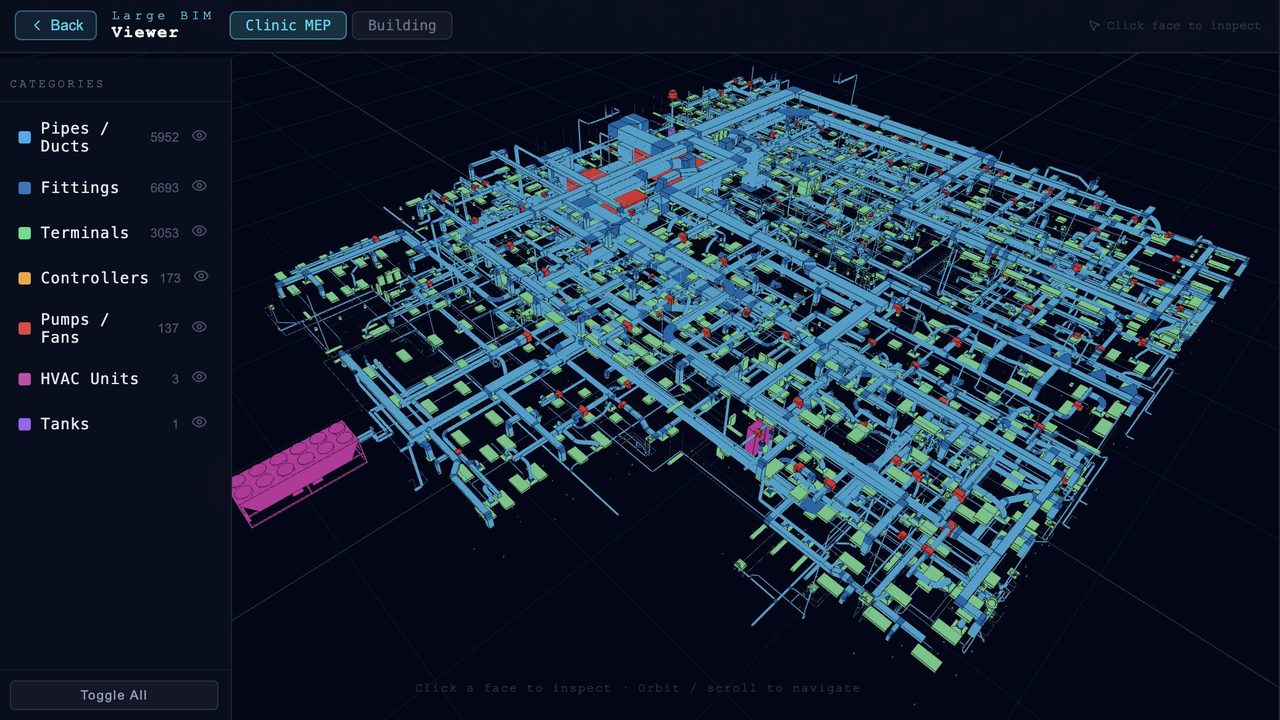
Switch between a 146 MB clinic MEP model and a 63 MB building model. Click any element to read its IFC properties.
How it works
Toggle by category
Pipes, ducts, HVAC units, walls, windows, slabs and more, each shown or hidden with its element count.
Inspect any element
Shows GlobalId, ObjectType and properties grouped by Pset.
Delivered as light GLB
The IFC is pre-converted into one GLB plus property JSON per category, so the browser loads it quickly.
Where it fits
Planning and disaster readiness
Review plans and hazard scenarios in 3D on the map.
Construction and facilities
Bring building information into one view, from design to maintenance.
Sharing with site and client
One link, and everyone talks over the same model.
We build this demo out to fit your work.
The demo is a starting point, not a finished product. We customise it for your data and your setting.
Fixed-scope development
For when requirements are clear. We customise a demo to your data and workflow and deliver it.
Dedicated lab team
For when the shape is still open. A dedicated team prototypes and tests with you until the spec is clear.
Embedding
Because everything is built for the web, it can be embedded into your existing systems and apps.
Related articles
Start with “can this be done?”
You do not need a spec. Tell us what data you have and what you want to do with it.